40×24 Electric Standing Desk: Compact Sit-Stand Setup
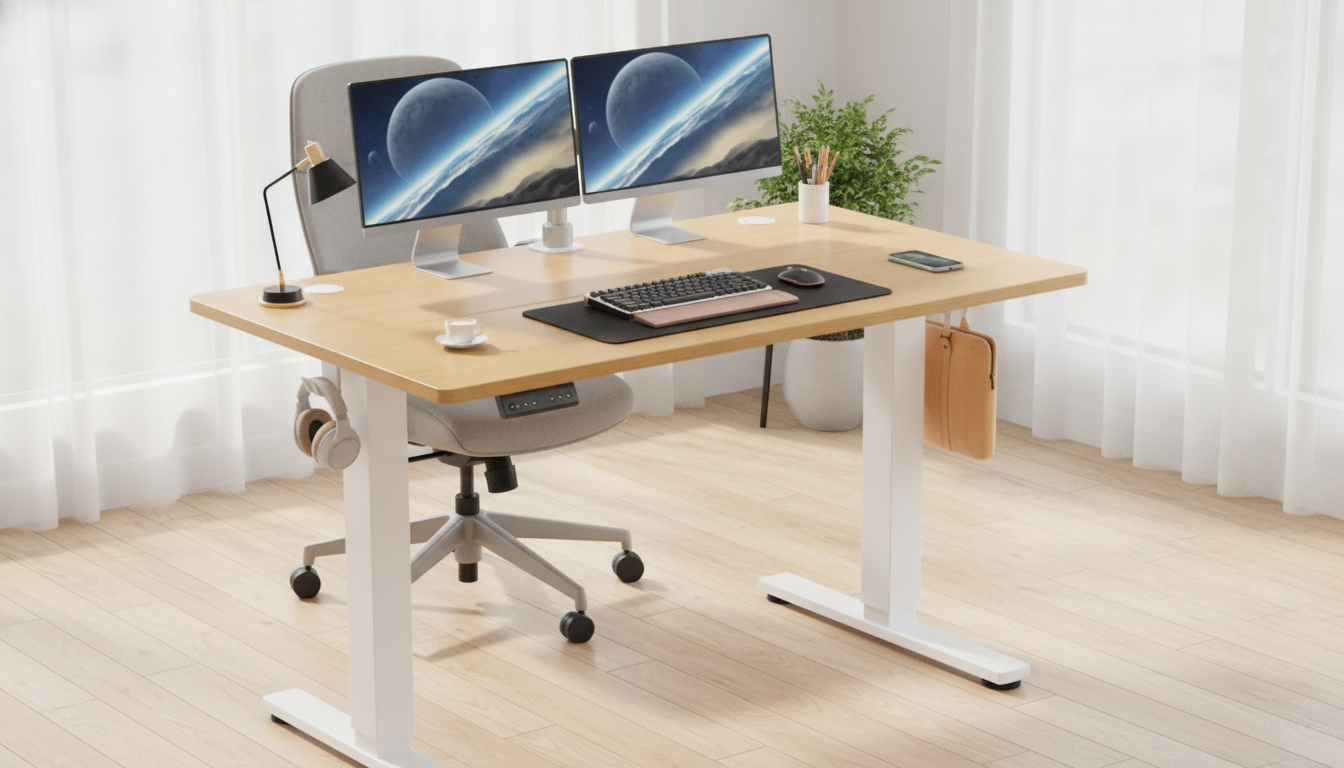
Electric Height Adjustable Standing Desk (40×24): A Compact Sit-Stand Upgrade for Home and Office
A 40×24 inch electric sit-stand desk can be a practical fit for small rooms, apartments, and focused work setups—offering quick height changes for alternating between sitting and standing. This guide breaks down what to look for, how to set it up comfortably, and how to get the most out of an electric height adjustable desk in everyday use.
Why a 40×24 electric sit-stand desk makes sense for smaller spaces
A compact electric standing desk is designed to deliver ergonomic flexibility without taking over the room. The 40×24 size hits a sweet spot: wide enough for real work, small enough to fit where a full-size desk feels bulky.
- Balances usable desktop room with a footprint that fits bedrooms, dorms, and compact home offices
- Encourages posture changes during the day without rearranging the workspace
- Works well as a laptop desk, writing desk, or a minimal dual-monitor setup (depending on monitor size and arm use)
- Electric lift helps fine-tune height more easily than manual crank options
Quick specs to confirm before buying
Electric desks can look similar online, so it helps to verify a few practical details before checkout—especially when the desk is going into a tight corner or shared area.
- Desktop size: 40×24 inches—measure the room and confirm chair clearance and walking paths
- Height range: ensure it reaches a comfortable seated height and a comfortable standing height for the main user(s)
- Lift system: look for stable movement and consistent performance during daily transitions
- Weight capacity: add up monitors, laptop, docking station, books, and any monitor arm clamp pressure
- Noise level: important for shared spaces and calls
- Stability: check wobble at standing height and when typing
Fit check for a 40×24 desktop setup
| Item | Typical placement tips | Notes for comfort and stability |
|---|---|---|
| Laptop | Center or slightly off-center with external keyboard/mouse | Elevate screen to eye level when possible |
| Single monitor | Centered; consider a monitor riser or arm | Keep the top of screen near eye level |
| Two monitors (compact) | Angle toward the center; consider an arm | Desk space can feel tight without arms |
| Keyboard + mouse | Keep elbows close to sides; wrists neutral | Leave palm space and avoid reaching |
| Notebook / writing space | Reserve a corner or front edge zone | Avoid blocking main input devices |
| Desk lamp | Back corner to reduce glare | Check clamp/footprint on 24-inch depth |
Comfort setup: dial in sitting and standing heights
A sit-stand desk works best when both positions are easy to maintain. If either your sitting or standing posture feels “almost right,” small adjustments (monitor height, keyboard placement, mat height) can make a noticeable difference. For general workstation ergonomics guidance, the OSHA Computer Workstations eTool and Mayo Clinic’s office ergonomics guide are helpful references.
- Seated position: feet flat, knees around 90°, forearms roughly parallel to the floor, shoulders relaxed
- Standing position: screen at eye level, elbows near 90°, avoid leaning on the desk edge
- Monitor distance: generally an arm’s length away; adjust for text size and vision comfort
- Cable slack: ensure cords have enough length for full height travel without tugging
- Anti-fatigue mat: improves standing comfort and reduces pressure on feet and lower legs
If the desktop feels “close” while standing, pull the keyboard and mouse slightly toward you and keep the monitor supported higher (a riser or arm). On a 24-inch-deep surface, reclaiming a few inches can be the difference between relaxed shoulders and constant reaching.
Daily routine ideas that make sit-stand easier to maintain
The most sustainable sit-stand habit is the one that fits how work actually flows. Instead of trying to stand for hours, focus on frequent, comfortable transitions and small movement breaks.
Assembly and placement checklist
Who this desk size and style is best for
Product spotlight: Electric Height Adjustable Standing Desk, 40×24 Inch Sit Stand Desk
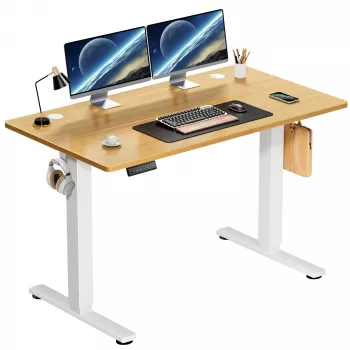
If you want a straightforward, space-conscious sit-stand upgrade, the Electric Height Adjustable Standing Desk, 40×24 Inch Sit Stand Desk is built around the compact 40×24 format with electric height adjustment for quick, repeatable transitions.
At-a-glance overview
| Detail | Value |
|---|---|
| Model | Electric Height Adjustable Standing Desk, 40×24 Inch Sit Stand Desk |
| Desktop size | 40×24 inch |
| Type | Electric sit-stand desk |
| Availability | In stock |
Small add-ons that complement a compact desk setup
- Luminous Wooden LED Light Globe 3D Puzzle Model Kit: a decorative light piece that can double as soft ambient lighting away from the main work zone.
- Gold Metal Decorative Ring Charms for Apple Watch Bands: an easy way to personalize a daily-wear accessory without adding desktop clutter.
- Minimalist Bow Knot Bangle Bracelet: a minimal giftable accessory that fits a pared-down, modern aesthetic.
FAQ
Is a 40×24 inch sit-stand desk big enough for two monitors?
Yes, it can be—especially with smaller monitors and a dual monitor arm to reclaim desk depth. Without arms, the 24-inch depth can feel tight once you add a keyboard and need comfortable viewing distance.
How often should the desk be raised and lowered during the day?
A steady rhythm like every 30–60 minutes is a practical starting point, then adjust based on comfort. Frequent posture changes and short movement breaks tend to be more sustainable than standing for long stretches.
What should be checked to prevent cable tugging when changing height?
Confirm there’s enough slack for full up/down travel, route cables toward a mounted power strip under the desktop, and use clips or sleeves to keep cords guided. Test one full height cycle after plugging everything in to catch snags before daily use.









Leave a comment