Tidy Mobile Presentations: Adjustable AV Cart + Power
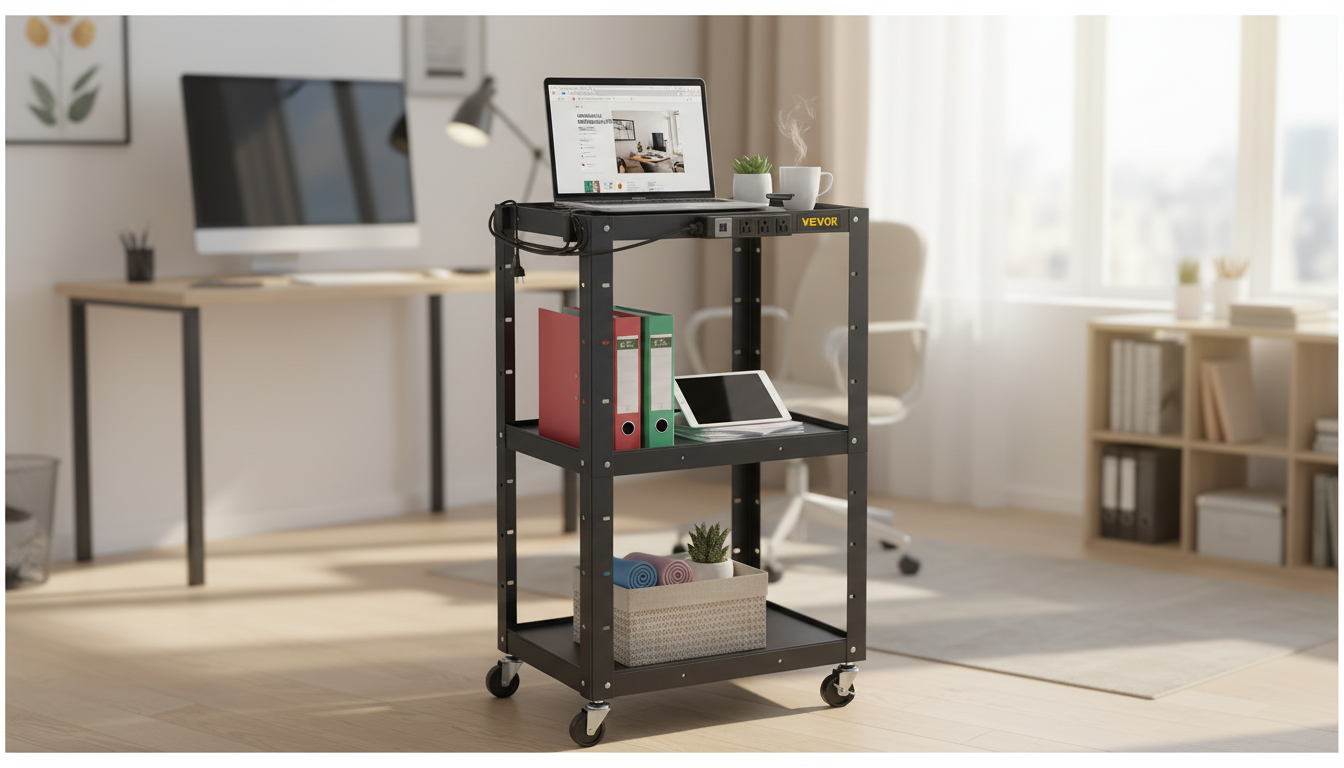
Height Adjustable AV Cart with Power Strip & Cord Management: A Clean, Mobile Setup for Presentations
A rolling AV cart can make a projector, laptop, speakers, and accessories easier to move between rooms—without the tangle of cables that often comes with temporary setups. A height adjustable AV cart with an integrated power strip and cord management helps keep everything powered, organized, and ready to present, whether you’re rolling into a classroom, a conference room, or a training lab.
What This Cart Is Designed to Solve
- Keeps essential devices on one mobile workstation: projector, laptop, document camera, small mixer, or streaming gear
- Adjusts working height to match seated or standing presenters and different projector throw needs
- Reduces cable clutter with built-in cord routing so nothing dangles or snags while moving
- Provides convenient power access via an onboard power strip to cut down on wall-plug hunting
- Improves room turnover speed for shared spaces (training rooms, labs, multipurpose classrooms)
Key Features That Matter Most
Not all AV carts are built the same. For a setup that stays neat while you move and adjusts quickly between sessions, focus on these practical details.
- Height adjustment range: Enough travel to align a projector beam or bring a laptop to a comfortable typing height.
- Power strip placement: Easy to reach without kneeling, but positioned so it’s less likely to get bumped during transport.
- Cord management route: Channels, hooks, or sleeves that guide cables along the frame and away from the casters.
- Shelf layout: Space for a laptop on top and peripherals below; a lip or edge helps prevent slide-off when rolling.
- Mobility and stability: A sturdy frame, smooth casters, and a base that resists tipping when the cart is fully loaded.
- Ventilation and heat: Open shelving helps airflow around projectors and power bricks.
- Assembly and adjustability: Clear instructions and a height mechanism that’s quick to change between rooms.
| Feature | Why it matters | What to check before buying |
|---|---|---|
| Height adjustment | Improves comfort and alignment for presentations | Locking mechanism, ease of adjustment, stability at max height |
| Power strip | Centralizes power for multiple devices | Outlet count, cord length to wall, surge protection details if specified |
| Cord management | Prevents snagging and improves safety | Cable path along frame, tie points, separation from wheels |
| Shelves and edges | Holds devices securely while rolling | Shelf size, raised edges, weight capacity if listed |
| Casters and brakes | Smooth movement and secure parking | Locking wheels, caster diameter, rolling on carpet vs hard floors |
Best-Fit Scenarios
- Classrooms: Quick transitions between lessons with a projector and laptop that stay connected.
- Conference rooms: Clean cable routing for hybrid meetings, webcam/mini PC, and speakerphone setups.
- Training centers: Repeatable layouts for hands-on sessions where equipment needs to move between stations.
- Worship and events: Compact, mobile control point for slides and audio interfaces.
- Home office or studio: A flexible stand for streaming gear, monitors, lights, and chargers.
Setup Tips for a Safer, Cleaner Cable Path
A tidy cart isn’t just about looks—it prevents accidental unplugging, reduces trip hazards, and makes troubleshooting faster when something doesn’t display or connect.
- Start with device placement: Put heavier gear (like a projector or power bricks) on the lower shelf when possible to reduce tipping risk.
- Route power first: Run the cart’s main power cord down the frame, then to the wall along a low-traffic edge.
- Separate signal and power where practical: Keeping HDMI/USB/audio away from the power bundle can reduce interference and makes cable tracing simpler.
- Leave service loops: Add a small slack loop near moving parts so raising/lowering the cart doesn’t tug connectors.
- Anchor cables away from wheels: Use tie points so no cable can swing into a caster while rolling.
- Label both ends: Quick reconnects for HDMI, USB, audio, and power bricks during room swaps.
- Use a single “travel check”: Before moving, confirm the power cord is unplugged and wrapped, and all devices are seated.
Electrical and Overload Basics to Keep in Mind
Built-in power strips are convenient, but they still require common-sense load planning. For general electrical safety guidance, consult resources like NFPA electrical safety, the U.S. Consumer Product Safety Commission’s electrical hazard education, and OSHA electrical safety guidance.
Care, Maintenance, and Long-Term Use
A Solid Option to Consider
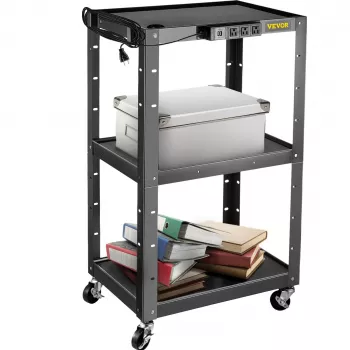
For mobile presentation setups where clean wiring and quick height changes are priorities, the Height Adjustable AV Cart with Power Strip & Cord Management is a practical grab-and-go solution. It’s especially useful in shared rooms where you want devices to stay connected to the onboard strip while keeping cable runs controlled along the frame.
If you’re outfitting a classroom, media corner, or training space and want a hands-on item that stores neatly between sessions, the Luminous Wooden LED Light Globe 3D Puzzle Model Kit is an engaging add-on for a shelf or display table—separate from the cart—when you want a simple, low-clutter visual feature in the room.
FAQ
Can a projector and laptop stay plugged in while rolling the cart between rooms?
Keep device-to-strip connections in place, but unplug the cart’s main power cord from the wall before moving. Secure cables along the frame and away from wheels, and confirm shelves are stable so nothing shifts while rolling.
How much equipment can be plugged into the built-in power strip?
Check the power strip’s rated amps/watts and add up the load of your projector, laptop charger, speakers, and accessories to stay within that limit. Avoid high-draw appliances and don’t plug one power strip into another.
What’s the simplest way to keep cables from tangling during height changes?
Use a defined cable path down the frame, add a small service loop where the height adjustment moves, and anchor cables at two points so they flex in a predictable way. This prevents tight pulls on connectors when raising or lowering the cart.








Leave a comment